Official Guide National Digital Connectivity & Support Hub | Verified 2026 Eligibility Guidelines
Home State Programs FAQ & Scam Alerts About Us Contact Apply Now
Official 2026 Guidelines

Government Free Tablet
Programs in 2026

Eligible households may qualify for free government tablet offers with talk, text, and monthly data through participating Lifeline providers. While the ACP program ended in 2024, Lifeline continues to support eligible low-income individuals and families with essential connectivity services. Device availability, data allowances, and plan benefits can vary by provider, state, and eligibility requirements.

Family using a tablet safely at home

Lifeline is Active

Accepting applications in 48 states.
Real 2026 Tablet Options

Free Tablet 2026: Real Ways to Get a Free Government Tablet or Low-Cost Device

Getting a free tablet sounds simple online, but the real process is not always simple. Some people qualify through Lifeline providers. Some find help through schools, nonprofits, libraries, housing programs, or veteran telehealth support. Others only find discounted refurbished tablets, not fully free devices.

The most important thing to know is this: there is no single federal program that gives every applicant a free tablet. The phrase “free government tablet” usually means a tablet offer connected to a public benefit, low-income program, provider promotion, or local digital access program.

In 2026, the safest path is to check real programs, confirm current availability, and avoid websites that still talk about expired ACP tablet benefits as if they are active.

Quick Answer: Can You Still Get a Free Tablet in 2026?

Yes, some people can still get a free tablet or a low-cost tablet in 2026. But it depends on where you live, what benefits you receive, which provider serves your ZIP code, and whether tablets are in stock.

Person checking tablet options online
Check availability first Tablet offers depend on your ZIP code, provider rules, benefit status, and current stock.

Most real options fall into these groups

Compare before applying
Option Who it may help What to expect
Lifeline provider offers Low-income households, SNAP users, Medicaid users, SSI users A phone or internet discount, sometimes a tablet offer
Nonprofit device programs Families, job seekers, students, seniors Refurbished tablets or low-cost computers
Schools and colleges Students who need a device for learning Loaned or school-issued devices
Libraries People who need temporary device access Tablet, laptop, or hotspot lending
Housing programs Some HUD-assisted households Local digital access help
VA telehealth support Eligible veterans who need virtual care VA-loaned internet-connected tablets

A tablet is not guaranteed. Some offers are free. Some require a small payment, shipping fee, activation fee, or tax. Some are refurbished. Some are only available in certain states.

Meaning Explained

What “Free Government Tablet” Really Means

Most people use the phrase “free government tablet” because they are looking for help from a public program. That is understandable, but the wording can create confusion.

In most cases, the tablet does not come directly from the government. The government may set eligibility rules, support internet access, or fund digital inclusion work. The tablet itself may come from a wireless company, nonprofit, school, library, housing authority, or community partner.

A free government tablet usually means a free or discounted tablet connected to a government benefit, Lifeline eligibility, local assistance program, or nonprofit device program.

Why it matters It helps you avoid fake promises and focus on real options.
What to check Provider name, ZIP code coverage, fees, tablet stock, and current terms.
Person researching tablet assistance options online
Not always direct government aid Real tablet help usually comes through providers, schools, libraries, nonprofits, or local partners.
People reviewing program details and online forms
ACP ended, check current terms A 2026 provider promotion is different from the old ACP device discount.
ACP Status

Is ACP Still Giving Free Tablets?

No. ACP is no longer active.

The Affordable Connectivity Program helped many households pay for internet service. It also included a one-time device discount for eligible households when the program was funded. But ACP ended on June 1, 2024.

This is where many pages online become risky. Some still say “apply for an ACP tablet” or “get a free tablet through ACP” without explaining that ACP has ended. That can mislead readers.

A provider may still offer a tablet promotion in 2026, but that is not the same as the old ACP device benefit.

If the page makes everything sound guaranteed, be careful.

Before you apply through any website, check these points

Safety checklist
Check this Why it matters
Does the page say ACP is still active? That is outdated unless a new official program replaces it
Is the provider name clear? You should know who is handling your application
Is the tablet really free? Some offers still include fees
Is your ZIP code covered? Offers change by location
Is the tablet model confirmed? Inventory can change fast
Are the terms easy to find? Real offers should explain costs and limits
Lifeline Still Active

Lifeline Is Still Active, But It Does Not Guarantee a Tablet

Lifeline is a federal program that helps eligible low-income households lower the cost of phone or internet service. It is still active in 2026.

Lifeline mainly gives a monthly discount on service. It does not automatically give everyone a tablet. However, some Lifeline companies may offer a free or low-cost tablet as part of their own promotion.

That is why two people can have very different results. One person may find a tablet offer in their ZIP code. Another person in a different state may only find phone service.

Person using a tablet for online service and support
Service first Tablet offers depend on provider coverage and stock.

Who Can Qualify for Lifeline?

Common routes
Program or benefit Can it help you qualify for Lifeline?
SNAP or food stamps Yes
Medicaid Yes
Supplemental Security Income, SSI Yes
Federal Public Housing Assistance Yes
Veterans Pension Yes
Survivors Pension Yes
Certain Tribal assistance programs Yes, if eligible
Household income at or below the Lifeline limit Yes

2026 Lifeline Income Limits

Lifeline income eligibility is based on household size and state. In 2026, the limit is 135% of the Federal Poverty Guidelines.

Household size 48 states, DC, and territories Alaska Hawaii
1 $21,546 $26,933 $24,786
2 $29,214 $36,518 $33,602
3 $36,882 $46,103 $42,417
4 $44,550 $55,688 $51,233
5 $52,218 $65,273 $60,048
6 $59,886 $74,858 $68,864
7 $67,554 $84,443 $77,679
8 $75,222 $94,028 $86,495

If your household is larger than 8 people, the income limit increases for each extra person. Since income limits can change each year, check the latest Lifeline guideline before applying.

If you qualify for Lifeline, your next step is not just to ask, “Where is my tablet?” Your next step is to find a participating company in your area and ask whether that company currently has any tablet offer.

Step by Step Process

How to Get a Free Tablet or Low-Cost Tablet

The best way is to follow a careful process. Do not start by giving your personal details to the first website you see.

1 Check eligibility first
2 Confirm ZIP code offers
3 Save proof before checkout
Person checking an online application process on a laptop
Start with eligibility Check benefits, income rules, ZIP code coverage, and provider terms first.

Follow This Safe Process Before You Apply

A tablet offer looks simple, but the real decision should be based on eligibility, coverage, provider rules, device cost, and service terms.

1

Check If You Qualify

Start with your benefits or income. SNAP, Medicaid, SSI, housing help, veterans benefits, Tribal benefits, or low income may help.

2

Apply for Lifeline

Use the official Lifeline process or your state’s required process. After approval, choose a participating company.

3

Check ZIP Code Service

Tablet offers are local. Search by ZIP code, then check each provider’s current offer before applying.

4

Compare the Plan

Do not choose only because of the tablet. Check coverage, data, support, fees, shipping, and terms.

5

Save Proof

Save screenshots, offer details, tablet model, price, emails, order numbers, and receipts.

Provider Verification

Check the Tablet Offer Before You Upload Documents

Before submitting personal details, confirm the offer directly with the provider. Tablet availability can change by ZIP code, inventory, plan type, fees, and customer status.

Offer check summary Before applying
01 Confirm the tablet is available in your ZIP code today.
02 Ask for the final cost, including shipping and activation.
03 Save the tablet model, condition, order number, and emails.
2
Price
Is the tablet free or discounted? Some offers still include a one-time cost, so confirm the real final price.
3
Fees
Is there a shipping or activation fee? The offer may look free, but shipping, activation, or handling charges can change the total.
4
Device
What tablet model is available? Ask for the model name before applying because inventory can change without notice.
5
Condition
Is it new or refurbished? Device condition matters for battery life, warranty, replacement, and long-term use.
6
Service
Is data included with the tablet? Plans vary by provider. Confirm monthly data, hotspot rules, and service limits.
7
Terms
What happens if I cancel service? Some providers may have device terms, usage rules, or account conditions after approval.
Save proof before you continue

Keep screenshots and emails before uploading documents or completing checkout. It helps if the offer, fee, model, or shipping status changes later.

Screenshot offer Save price Save model Save order number Save emails

Compare the Service Plan, Not Just the Tablet

A tablet offer is not always the best deal if the service is weak in your area. Some Lifeline services require regular use. If you do not use the service, you may lose the benefit.

Coverage in your ZIP code Monthly data amount Hotspot included Customer support Shipping time Replacement policy Any fees Locked tablet Monthly use rule
SNAP, EBT and Medicaid

Can You Get a Free Tablet With EBT, SNAP, or Medicaid?

Yes, EBT or SNAP can help, but not in the way some ads make it sound. SNAP does not directly give you a tablet. It can help you qualify for Lifeline. After that, you need to check whether a Lifeline provider in your ZIP code offers tablets.

SNAP is one of the strongest forms of eligibility proof because it is widely recognized for Lifeline qualification.

Medicaid can also help It can help you qualify for Lifeline, but it does not usually provide tablets directly.
Ask before applying Check whether the tablet is available in your state and ZIP code, and whether it is for new customers only.
Person reviewing benefit documents for an online application
Benefits can prove eligibility, but the tablet still depends on provider availability.
Real SNAP path 5 steps
1 Make sure your SNAP benefit is active
2 Get proof of your benefit, such as an approval letter
3 Apply for Lifeline
4 Choose a provider in your area
5 Ask if that provider has a tablet offer
Students using digital devices for learning
Student Options

Free Tablets for Students

Students may find tablet help through several routes. A student may qualify through their household’s Lifeline eligibility. A school district may lend devices to students who need them. A college may have a laptop or tablet loan program. A library may offer device lending. Some nonprofits also help students with refurbished devices.

Being a student alone may not be enough. Many programs look at household income, benefit status, school need, or local funding.

K-12 student without a device School office or district technology program
College student Student support office or campus technology office
Low-income household Lifeline eligibility through household
Public housing student Housing authority or local digital inclusion program
Short-term device need Public library device lending
Extra Tablet Help Options

Other Ways to Find a Free or Low-Cost Tablet

Lifeline providers are not the only path. Seniors, veterans, students, public housing residents, and low-income families may also find help through VA care teams, housing offices, libraries, schools, nonprofits, and local digital inclusion programs.

Best first step Check official eligibility, then confirm the actual device offer.
Most important rule Never upload documents until the provider or program is clear.
Safer backup Trusted local programs can be better than fake free tablet sites.
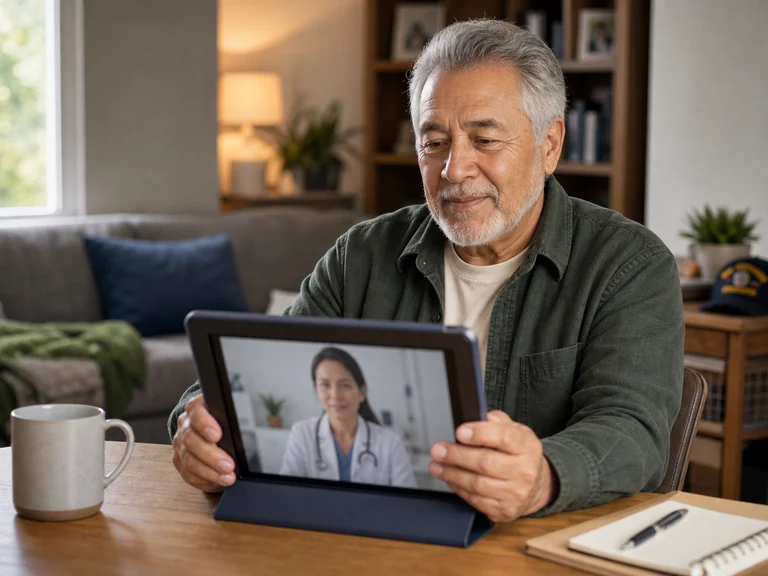
Senior person using a tablet for online health and family communication
Tablets can help seniors manage care, benefits, and daily communication.
Senior Support

Free Tablets for Seniors

Seniors may qualify through Lifeline if they meet the income limit or receive a qualifying benefit. This may include Medicaid, SNAP, SSI, Federal Public Housing Assistance, Veterans Pension, or Survivors Pension.

Telehealth visits Prescription refills Benefit accounts Video calls Transportation apps Doctor messages Online banking Bill pay
Safety check for seniors A real program should clearly show who runs it, what the offer includes, what it costs, and how personal information is protected.
Veteran using a tablet for telehealth support
Veterans may have a separate VA telehealth device path.
Veteran Path

Free Tablets for Veterans

Veterans have one special path that many people miss. Eligible veterans who need telehealth care may ask their VA care team about help through a Digital Divide Consult.

If the veteran qualifies and does not have a suitable device or internet access, VA may lend an internet-connected tablet for telehealth. This is not a general free tablet giveaway. It is meant to help eligible veterans connect with VA care.

VA care team Telehealth need Digital Divide Consult Internet-connected tablet
Lifeline may also help Veterans can also check Lifeline if they qualify by income or through Veterans Pension, Survivors Pension, Medicaid, SNAP, or SSI.
Housing and Local Help

Housing Programs and ConnectHomeUSA

Some families in HUD-assisted housing may find device help through local housing authorities or digital inclusion partners. ConnectHomeUSA and similar local efforts may help residents access internet help, device events, computer labs, training, and refurbished devices.

Low-cost internet Ask your housing office about local partner options.
Digital skills Some programs teach basic online safety and device use.
Device events Availability depends on local partners and funding.
Computer labs Some housing communities offer shared access points.
Refurbished devices Low-cost devices may be available through partners.
Local referrals Your housing office may know trusted programs nearby.
Important limit This does not mean every person in public housing gets a tablet. Help depends on the local housing authority and available partners.
Community support team helping people with online access
Ask your housing office about device assistance, internet help, and digital skills programs.
Local Backup Options

Nonprofit and Local Programs That May Help

If no Lifeline provider offers a tablet in your area, do not stop there. Many people find better help through nonprofit and local programs.

Program type What it may offer
Nonprofit refurbishers Low-cost tablets, laptops, or desktops
Libraries Tablet, laptop, or hotspot lending
Schools Student devices or loaner tablets
Community action agencies Referrals to local assistance
Workforce centers Device help for job search or training
211 Local referrals for technology help
Churches and local charities Occasional device drives or emergency help
Best use Use these options when provider tablet offers are not available in your ZIP code.
Safer path Trusted local programs can be safer than random “free tablet” forms.
What to ask Ask about device cost, condition, pickup, warranty, and internet help.
Realistic note These options may not always be free. But a low-cost refurbished tablet from a trusted nonprofit can be safer than a fake “free tablet” website.
Local community support program helping people with digital access
Local help can be stronger Libraries, schools, housing offices, and nonprofits may know trusted device programs nearby.
Device Expectations

What Kind of Tablet Will You Get?

Most free or low-cost tablets are basic devices. They are usually meant for simple everyday use, not premium gaming, heavy editing, or high-end business work.

Email Web browsing Online forms Video calls Schoolwork Job applications Benefit portals Telehealth visits
Be careful with premium claims If the offer says “free iPad for everyone,” be very careful. Most real low-income tablet programs do not work that way.
Feature What is realistic
Brand Varies by provider or program
Condition New, used, or refurbished
Screen size Often around 8 to 10 inches
Operating system Often Android
Data Depends on the plan
Warranty Varies
Shipping Varies
Replacement May cost extra
Basic tablet device for everyday online use
Expect a basic tablet Most offers are built for forms, video calls, benefits, schoolwork, and simple daily use.
Common Costs to Watch For

Free does not always mean zero cost. Ask for the full total before applying.

Device contribution Activation fee Shipping fee Taxes SIM fee Upgrade fee Replacement fee Extra data charges
Application Documents

Documents You May Need

The documents depend on how you qualify. Make sure your documents are clear. Your name, date, benefit status, and address should be easy to read.

Before uploading anything Confirm the website, provider name, privacy details, tablet cost, and offer terms first.
Document When it may help
Government ID To prove identity
Proof of address To confirm service area
SNAP letter To prove food assistance
Medicaid letter or card To prove Medicaid participation
SSI award letter To prove SSI participation
Housing assistance letter To prove public housing assistance
Veterans Pension or Survivors Pension letter To prove veteran-related eligibility
Pay stubs or tax return To qualify by income
School letter For student device programs
VA care team referral For VA telehealth tablet support
Safety First

How to Avoid Free Tablet Scams

Scams are common in this topic because people need devices and internet access. A fake website can look real enough to trick people into sharing personal information.

Red flag Why it is risky
“Everyone is approved” Real programs have eligibility rules
“ACP is still open” ACP ended on June 1, 2024
“Free iPad guaranteed” Most programs do not guarantee premium tablets
No provider name You should know who is handling the offer
No terms or privacy policy Your information may not be safe
Gift card payment request Real programs do not work this way
Fake countdown timer Pressure is a common scam tactic
No customer support You may have no way to fix problems
Real programs explain eligibility You should see who qualifies before giving personal information.
Real offers show costs The tablet price, shipping, activation, and plan details should be clear.
Real providers have support You should be able to contact someone if the order has a problem.
Safe rule A real program should explain who qualifies, what the device costs, what service is included, and what happens after approval.
Person reviewing online information carefully before submitting an application
Check before applying Do not upload personal documents until the provider, terms, cost, and privacy details are clear.
Backup Path

What to Do If No Tablet Offer Is Available

If no provider offers tablets in your area, you still have options. Sometimes the best option is not a free tablet. It may be a low-cost refurbished tablet from a trusted local program.

1 Apply for Lifeline service if you qualify.
2 Search for nonprofit device programs near you.
3 Ask your public library about tablet or hotspot lending.
4 Contact your child’s school or your college support office.
5 Ask your housing authority about digital inclusion help.
6 Call 211 and ask for local device assistance.
7 Check trusted refurbished device programs.
8 Ask a workforce center if you need a device for job search or training.
Best Starting Point

Best Option Based on Your Situation

The right place to start depends on your benefits, household situation, school status, veteran status, housing status, and local device programs.

Your situation Best place to start
You have SNAP or EBT Lifeline, then provider tablet offers
You have Medicaid Lifeline, then provider tablet offers
You are a senior Lifeline, aging agencies, libraries
You are a student School, college, library, Lifeline household eligibility
You are a veteran VA care team, Digital Divide Consult, Lifeline
You live in public housing Housing authority, ConnectHomeUSA partners
You need a device for work Workforce center, 211, nonprofit refurbishers
You do not qualify for Lifeline Libraries, nonprofits, community programs
FAQ

Free Tablet FAQ

Can I really get a free tablet in 2026?

Yes, some people can get a free or low-cost tablet in 2026. It depends on eligibility, ZIP code, provider availability, local programs, and device stock.

Is there a real free government tablet program?

There is no single federal program that gives every applicant a free tablet. Most real offers come through Lifeline providers, nonprofits, schools, libraries, housing partners, or VA telehealth support.

Is ACP still open for free tablets?

No. ACP ended on June 1, 2024. Be careful with websites that still describe ACP as an active free tablet program.

Can I get a free tablet with EBT?

EBT or SNAP can help you qualify for Lifeline. After approval, you need to check if a provider in your ZIP code currently offers tablets.

Can I get a free tablet with Medicaid?

Medicaid can help you qualify for Lifeline. Some Lifeline providers may offer tablets, but availability changes by state, ZIP code, and provider.

Can students get free tablets?

Some students can get tablets through schools, colleges, libraries, nonprofits, or Lifeline household eligibility. The rules depend on the program.

Can seniors get free tablets?

Seniors may qualify through Lifeline if they meet income rules or receive a qualifying benefit. They can also check libraries, aging agencies, nonprofits, and telehealth programs.

Can veterans get free tablets?

Eligible veterans may receive a VA-loaned tablet for telehealth if they qualify through VA’s process. Veterans may also qualify for Lifeline through income or certain benefits.

Are free tablets new or refurbished?

They can be new, used, or refurbished. Always ask the provider or program what device is available before applying.

What if no provider offers a tablet in my area?

Check libraries, schools, nonprofit refurbishers, housing authorities, 211, workforce centers, and local community programs. A discounted refurbished tablet may be easier to find than a fully free one.

Final Takeaway

A Free Tablet Is Possible, But Not Guaranteed

A free tablet is possible in 2026, but it is not guaranteed. The best place to start is Lifeline if you qualify through income, SNAP, Medicaid, SSI, housing assistance, Tribal benefits, or veterans benefits.

After that, check real providers in your ZIP code and ask if they currently offer tablets. If they do not, try nonprofits, schools, libraries, housing programs, VA telehealth support, and local digital inclusion programs.

The safest offer is the one that clearly explains who qualifies, what the tablet costs, what service is included, and what happens after approval.

Start safely Check eligibility before sharing documents.
Confirm locally Tablet offers change by ZIP code and inventory.
Save proof Keep screenshots, receipts, emails, and terms.
Contact and Verification

Editorial and Support Information

Use these details for support questions, correction requests, data verification, and editorial review notices.

Mailing address 402 North US Highway 183, Suite B, Austin, TX 78753, USA
Hotline support +1-512-555-0194
Data verification cycle Semi-Annual Policy Review
Business hours
Mon to Fri 09:00 to 06:00
Saturday Closed
Sunday Closed